FPcomXLS is a software program for desk top and lap top PC's running Windows 95, 98, 2000 and XP operating systems.
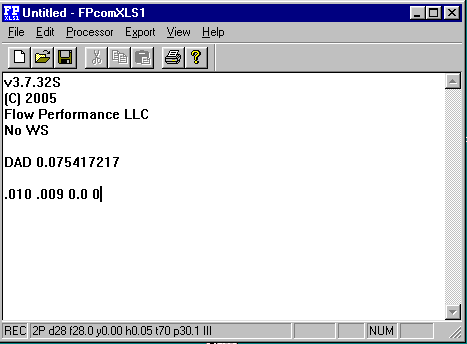
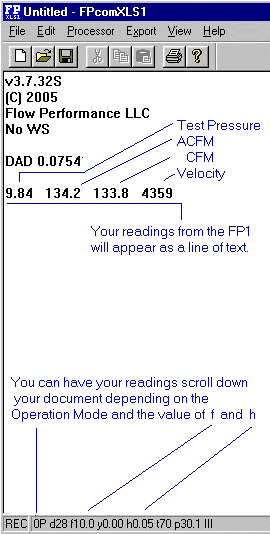
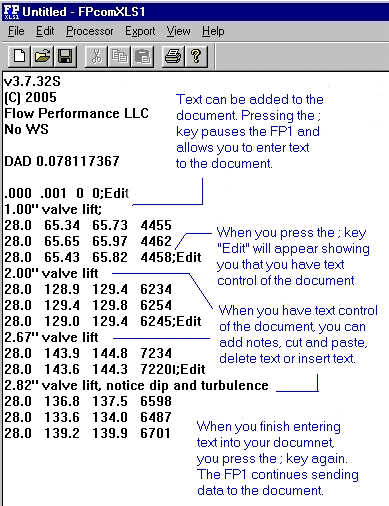
FPcomXLS looks like, and acts like a simple word processor. Both the user and the FP1 flow rate processor can enter text to a document.
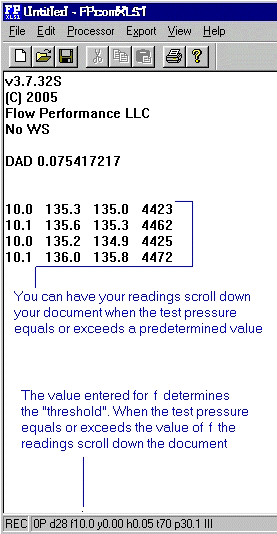
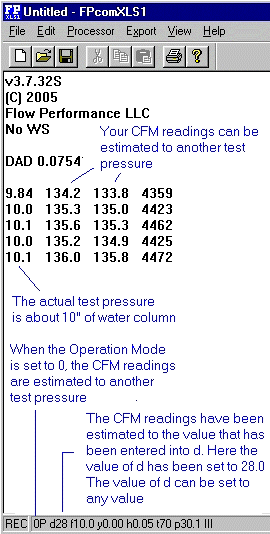
You can have your readings scroll down the document
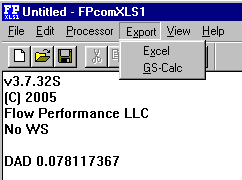
FPcomXLS can also send the readings from the FP1 flow rate processor on to an MS Excel (R) or GS-Calc spreadsheet for unlimited data processing, storage, graphing and display capabilities
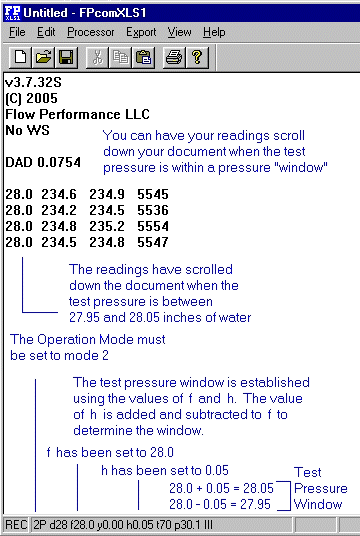
You can have your readings scroll down the document when the test pressure falls within a pressure "window"
You can pause the FP1 flow rate processor and edit the document with all ths standard editing features found in most word processors, like cut, paste, delete and insert. Or you can just enter some text if you wish.
You can have FPcomXLS send the data from the FP1 directly into a spreadsheet. You can send your readingings into MicroSoft's Excel (R) or a low cost spreadsheet GS-Calc (JPS-Development.com)
FPcomXLS is very much like a simple word processor that allows the Flow Performance FP1 electronic flow rate processor to enter data into a text document. It also allows the user to enter text into the document. If the user saves the document to a disk with a .txt extension to the document file name, that document can be accessed by almost any other word processor. You can easily email your test document to a friend, associate or client.
FPcomXLS has the look and feel of a simple word processor. It uses a document to record the data from the FP1 flow processor
You can also make your own software. FPcomXLS can send the data from The FP1 flow processor directly into some spreadsheets for unlimited processing power.